
Download Video Avatar – video avatar, animated gif, video to gif, create gif, gif maker, video clip, avatar maker, video editor, animated avatar, video to gif converter, gif creator, video to animated gif
Overview
Video Avatar is a utility-focused mobile application designed to help users transform video clips into animated GIF avatars. Its primary purpose is to simplify the creation of personalized, dynamic avatars for use across blogs, forums, social media profiles, and messaging platforms. By enabling users to extract and convert specific segments of video content into compact, looping GIFs, the app addresses the growing demand for expressive, visually engaging digital identities. It is particularly useful for individuals seeking a creative way to stand out online without requiring advanced editing skills.
The app caters to a broad audience, including content creators, social media users, and casual digital communicators who value visual personalization. While the developer, T-Soft, is noted in the provided data, no further background information is available regarding their history or other products. The app operates within the video editing and utility category, filling a niche for lightweight, format-agnostic GIF conversion tools. Real-world use cases include creating reaction avatars, capturing memorable moments from personal videos, or generating animated profile icons for online communities.
Although the developer did not provide additional technical details, the app’s core functionality suggests a focus on accessibility and efficiency. In the broader app ecosystem, Video Avatar serves as a specialized tool that complements more complex video editing software by offering a streamlined, targeted solution for GIF avatar creation. Its continued relevance underscores the persistent demand for user-friendly tools that empower non-professionals to produce shareable digital content.
Key Features & Functionality
- Multiple Video Format Support: Video Avatar accepts a wide range of video formats, including AVI, ASF, MP4, MPG, MPEG, MOV, and WMV. This ensures users can work with nearly any video file they have stored on their device, eliminating the need for prior conversion.
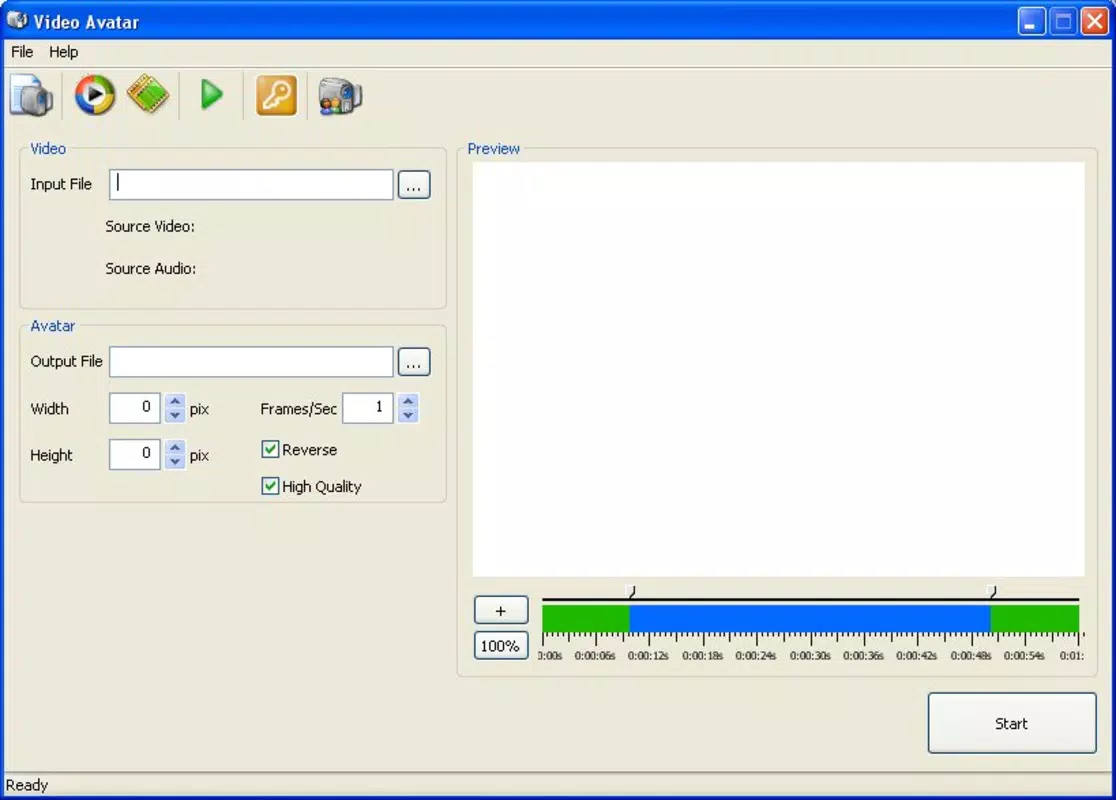
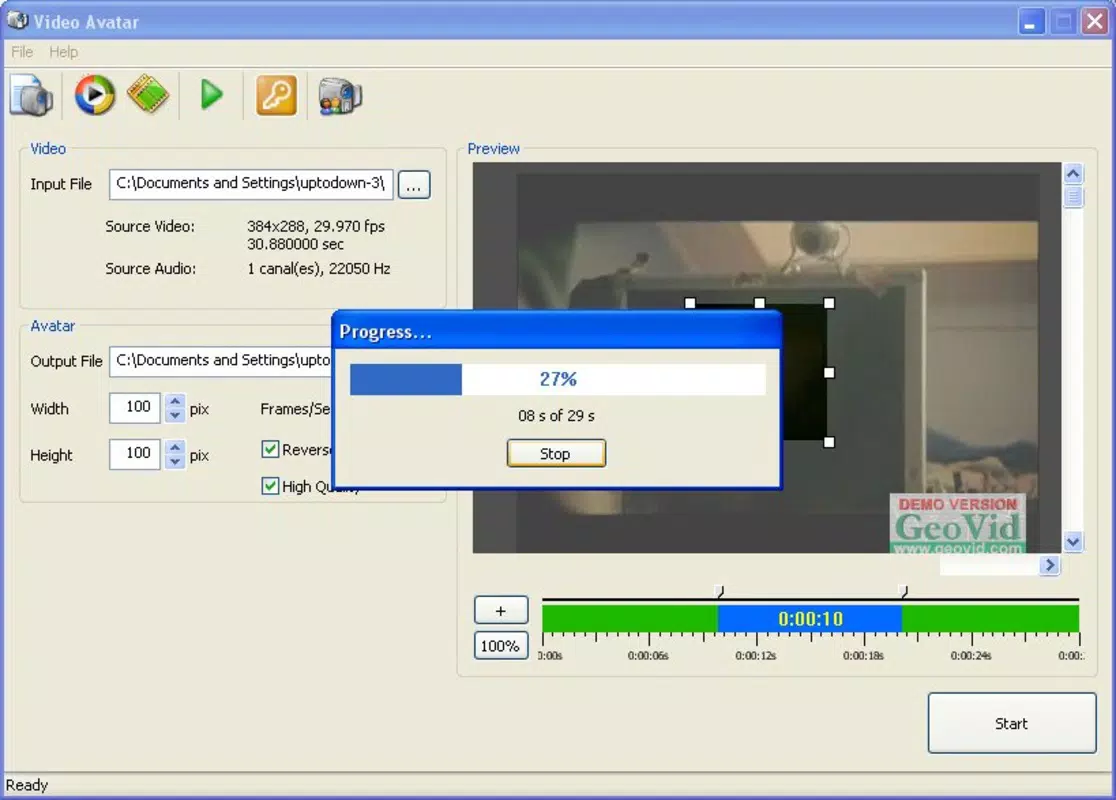
- Customizable GIF Creation: Users can precisely define the portion of a video to convert, controlling parameters such as width, height, frames per second (FPS), and even enabling reverse playback for unique visual effects.
- User-Friendly Interface: The app features a clean, intuitive layout designed for ease of use. Even users with minimal experience in video editing can navigate the tool without confusion or frustration.
- Detailed Crop Controls: A zoom-enabled range bar allows for pixel-perfect selection of video segments, ensuring that the most expressive or relevant moments are captured in the final GIF.
- Multilingual Support: Available in English, Spanish, and Russian, the app enhances accessibility for a global user base, supporting diverse linguistic preferences.
For example, a user might extract a 3-second clip of a funny reaction from a home video, crop it to a square frame, set it to 15 FPS for smooth motion, and reverse the playback to create a humorous looping avatar. These features collectively empower users to produce high-quality, expressive avatars with minimal effort.
Interface, UX & Performance
Video Avatar presents a straightforward interface with minimal visual clutter, emphasizing functionality over decorative elements. The layout is logically organized, with clear labels and intuitive controls for video import, cropping, and export settings. Navigation is linear and predictable, allowing users to progress through the creation process without backtracking or confusion.
Although the developer did not list formal performance metrics, the app’s lightweight nature—evidenced by its 1.3 MB file size—suggests efficient resource usage. This makes it suitable for a wide range of devices, including those with limited processing power or storage. Responsiveness appears to be consistent, with minimal lag during video loading and cropping, though real-world performance may vary depending on device capabilities.
Stability is implied by the app’s long-standing presence, having been released in 2009. However, no user feedback or crash reports were provided. The app’s design prioritizes usability, ensuring that even first-time users can complete a GIF creation cycle without assistance. The lack of complex menus or hidden settings contributes to a smooth, distraction-free experience.
Platform Compatibility & Technical Requirements
Video Avatar is available for the Windows platform, with no information provided on specific operating system versions or hardware requirements. The developer did not specify minimum OS requirements, nor did they list compatibility with mobile or tablet systems. The app’s file size is 1.3 MB, indicating a lightweight footprint that is likely to install quickly and consume minimal storage space.
Given the app’s release date of December 31, 2009, and its continued availability, it may not support the latest Windows updates or newer hardware architectures. Users should verify compatibility with their current system before installation. The absence of details on supported Windows versions means that installation on modern systems may require compatibility mode or additional configuration.
Pros and Cons
- Supports multiple video formats for maximum flexibility
- Intuitive interface suitable for beginners and casual users
- Offers precise crop controls and customizable export settings
- Lightweight size ensures fast installation and low resource usage
- Includes multilingual support for broader accessibility
- Released in 2009, may lack modern UI/UX standards
- No information on compatibility with current Windows versions
- Platform is limited to Windows; no mobile or macOS availability
- Developer did not provide update frequency or future roadmap
- File size suggests limited advanced features or modern enhancements
FAQ
Is Video Avatar available for Android or iOS?
Based on the provided information, Video Avatar is only available for the Windows platform. There is no indication of mobile app availability for Android or iOS.
Can I use Video Avatar to convert videos to GIFs for social media?
Yes, the app allows users to create animated GIFs from video clips, which can be used as avatars or visual content on blogs, forums, and social media platforms.
Does Video Avatar require an internet connection?
There is no information indicating that Video Avatar requires an internet connection. It appears to function as a standalone tool, processing videos locally.
Is Video Avatar free to download and use?
Yes, the app is available at no cost. The price is listed as Free, and no in-app purchases or subscription models were mentioned.
How do I update Video Avatar?
The developer did not specify update frequency or distribution method. Users may need to manually check the official source for new versions, though no current update mechanism was disclosed.
Final Thoughts
Video Avatar remains a niche but functional tool for users seeking a simple way to convert video clips into animated GIF avatars. Its support for multiple video formats, customizable export settings, and user-friendly interface make it a practical choice for casual creators and digital communicators. While its age is evident in its design and potential compatibility limitations, its lightweight nature and core functionality continue to offer value.
For individuals who prioritize ease of use, format flexibility, and offline processing, Video Avatar delivers a reliable solution. It stands out in a crowded space by focusing on a single, well-defined task without unnecessary complexity.
Download Video Avatar now


